When purchasing an SSL certificate, selecting the wrong validation type or domain architecture can lead to unexpected outages, lost conversions, or unnecessary overhead. An SSL certificate is foundational to cryptographic integrity, search engine visibility, and user trust.
However, choosing the right SSL certificate is far from a one-size-fits-all purchasing decision. Deploy the wrong validation level, and you risk losing customer confidence to browser warnings or overpaying for enterprise identity checks you do not need. Overlook subdomain expansion or ACME automation protocols, and you face costly downtime when certificates expire.
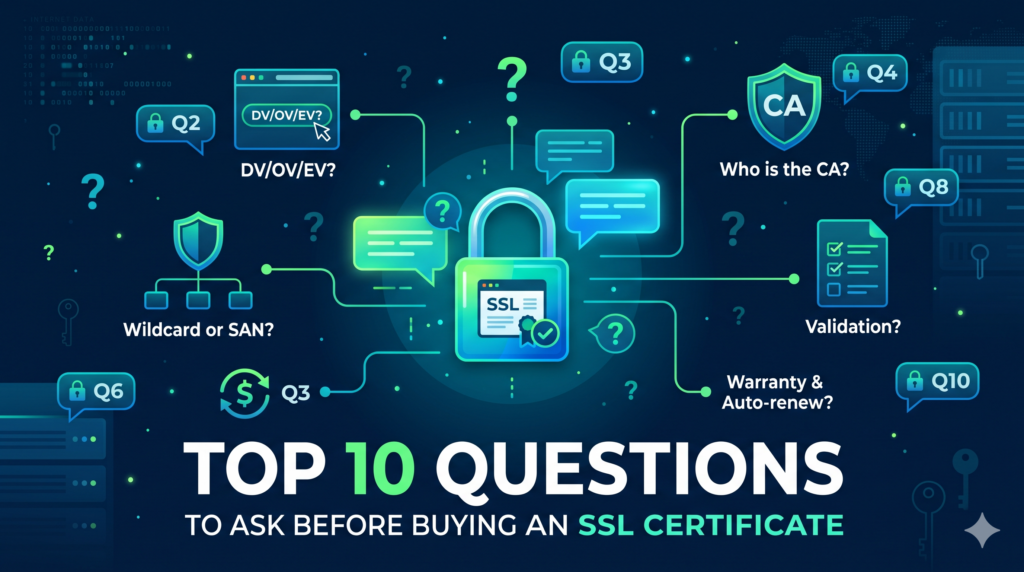
Before swiping a credit card or signing an enterprise security contract, review this complete buying guide featuring the top 10 questions to ask before buying an SSL certificate for your website.

1. How Many Domains Does Your SSL Certificate Need to Secure?
The topology of your digital presence dictates the certificate type you require. Buying single-domain certificates for a multi-faceted digital property creates operational bloat and administrative overhead.
| Certificate Category | Scope of Coverage | Best Use Case |
|---|---|---|
| Standard (Single-Domain) | One Fully Qualified Domain Name (FQDN) (e.g., example.com and usually www.example.com). |
Landing pages, personal portfolios, single-service SaaS platforms. |
Wildcard (*.example.com) |
One apex domain plus unlimited first-level subdomains (e.g., blog.example.com, app.example.com). |
Sites managing dynamic user accounts, customer portals, or staging environments. |
| Multi-Domain / SAN (UCC) | Multiple unique domains and cross-level subdomains on a single cert using Subject Alternative Names (SANs). | Holding companies, multi-brand e-commerce platforms, SaaS multi-tenant portals, Microsoft Exchange. |
Key Check:
Do you need to secure nested subdomains (e.g., api.v1.example.com)? Standard wildcards cover only one layer of subdomains. If you operate deeper nested subdomains or need to protect multiple distinct domain names simultaneously, an Enterprise Multi-Domain Wildcard certificate is mandatory.
2. Which SSL Certificate Validation Tier Does Your Business Require (DV, OV, or EV)?
Certificate Authorities (CAs) offer three distinct validation tiers. Each tier balances the speed of issuance against corporate identity verification and public trust. For a detailed technical breakdown of business vetting and validation standards, read our comprehensive DV vs. OV vs. EV SSL certificate comparison guide.
| Validation Feature | Domain Validation (DV) | Organization Validation (OV) | Extended Validation (EV) |
|---|---|---|---|
| Verification Process | Automated email or DNS TXT challenge | Business registry check & corporate vetting | Comprehensive legal, physical, and operational audit |
| Issuance Speed | ⚡ Issued in minutes | ⏱️ 1–3 business days | ⏱️ 1–5 business days |
| Trust & Identity | Encrypts traffic (no corporate identity) | Verified company name in cert metadata | Maximum corporate trust & authenticated identity |
| Best Use Case | Blogs, personal sites, dev/staging | Mid-market B2B, corporate portals, SaaS | Banks, financial services, enterprise e-commerce |
- Domain Validation (DV): Requires proof of domain control only (via DNS TXT record or HTTP challenge file). Verification takes minutes. Ideal for personal blogs, internal development setups, and small informational sites.
- Organization Validation (OV): The CA verifies that your registered business exists in state/corporate registries and operates legitimately. Business details are baked into the certificate’s cryptographic metadata.
- Extended Validation (EV): The highest industry standard. Involves extensive cross-verification of legal, operational, and physical existence through direct phone vetting and corporate registries. Crucial for financial platforms, high-volume e-commerce storefronts, and brands targeted by phishing and spoofing campaigns.
3. Does the CA Support ACME Automation for Zero-Touch Renewals?
With industry discussions and the official CA/Browser Forum Baseline Requirements pushing certificate lifespans down—and with major browsers prioritizing 90-day validity models—manual certificate renewal is no longer viable. Modern infrastructures require the Automated Certificate Management Environment (ACME – RFC 8555) protocol for zero-touch automation.
Manual renewals invite human error. Expired certificates cause broken user sessions, security alerts, and brand erosion.
What to Ask Your Provider:
- Does your CA or reseller interface support the Automated Certificate Management Environment (ACME) protocol?
- Can you hook issuance into automated agents (e.g., Certbot, Traefik, Caddy, Kubernetes cert-manager) to handle issuance and zero-touch installation natively?
- If you run an enterprise hybrid cloud, does the vendor offer an API or a centralized Certificate Lifecycle Management (CLM) integration?
4. What Is the Browser and Device Ubiquity Rate?
Encryption is meaningless if an older mobile browser, embedded IoT client, or legacy operating system flags your certificate as “Untrusted” because it cannot trace the CA’s root certificate.
Ensure the Certificate Authority backing your certificate boasts 99.9% browser ubiquity. Established commercial CAs (such as DigiCert, Sectigo, and GlobalSign) maintain widely distributed root certificates that have been embedded in major OS and browser trust stores (Apple iOS/macOS, Google Android/Chrome, Microsoft Windows, Mozilla) for decades.
Sectigo ACME Certificate – DV
DOMAIN VALIDATION (DV)- ✓ Automated 90-day certificate issuance & renewals
- ✓ Zero downtime with Certbot & enterprise ACME agents
- ✓ Full automated lifecycle management without manual CSRs
If your customer base accesses services from legacy hardware, legacy Android builds, or legacy enterprise firewalls, verifying root cross-signing capabilities is non-negotiable.
5. How Much Financial Warranty Is Provided?
Commercial SSL/TLS certificates include a financial backing known as a CA warranty.
If a Certificate Authority experiences a cryptographic flaw, erroneously issues a certificate to an unauthorized third party, or compromises its private root keys—leading to financial losses for end consumers transacting on your site—the CA’s warranty covers those damages up to a designated ceiling.
- Entry-Level DV Certificates: Typically carry warranties between $10,000 and $50,000.
- Mid-Tier OV Certificates: Usually carry $50,000 to $250,000 in liability coverage.
- Enterprise-Grade EV Certificates: Frequently provide warranties scaling from $1,000,000 to $2,000,000.
Calculate your daily transaction volume. If a man-in-the-middle exploit or breach caused by CA negligence could inflict six- or seven-figure liabilities, avoid entry-level certificates that leave you underinsured.
6. What Cryptographic Algorithms and Key Sizes Are Supported?
Modern TLS configurations require forward-looking cryptographic cipher suites. Ensure your provider supports modern standards rather than outdated cryptographic primitives:
- RSA Keys: Minimum 2048-bit key length (standard), with 4096-bit supported for ultra-secure or government environments.
- ECC (Elliptic Curve Cryptography): Offers stronger security margins at dramatically smaller key lengths (e.g., ECDSA 256-bit or 384-bit). Because ECC keys require fewer computing cycles, they reduce server CPU utilization, lower latency, and accelerate TLS handshake negotiation—especially for high-concurrency mobile applications.
- SHA-2 Hashing: Ensure the certificate issues with modern SHA-256 (or higher) signatures. (SHA-1 has long been deprecated).
7. What Is the Policy on Multi-Server Licensing and Reissues?
In clustered or containerized web architectures, you rarely run a single web server. You deploy traffic across load balancers (F5, AWS ALB, Cloudflare), ingress controllers, reverse proxies (Nginx, HAProxy), and staging environments.
Clarify the following commercial terms before purchasing:
- Unlimited Server Licensing: Does the certificate purchase allow you to export the private key/certificate pair and deploy it across an unlimited number of physical and virtual servers without incurring per-server fees?
- Free Unlimited Reissues: If your server crashes, you regenerate private keys, or you need to append a new Subject Alternative Name (SAN) to a Multi-Domain certificate, does the CA charge an administrative penalty or offer unlimited self-service reissues for the duration of the term?
8. Is 24/7/365 Technical Support Available When Deployment Fails?
SSL installation issues do not adhere to business hours. A misconfigured intermediate certificate chain, an improperly configured private key passphrase, or a DNS-01 verification timeout can take critical production systems offline in minutes.
Evaluate the vendor’s actual support tiering:
- Available Support Channels: Do they offer 24/7 live telephone, dedicated ticketing, or responsive real-time chat?
- Technical Expertise: Are you interacting with Tier-1 frontline call center agents reading generic scripts, or level-2/level-3 PKI specialists who understand OpenSSL, Apache/Nginx directives, intermediate chain troubleshooting, and modern TLS cipher suites?
9. Does the Provider Supply a Dynamic Site Seal?
A Site Seal is a trust badge displayed on checkout pages, sign-in forms, and footers to demonstrate that the connection is encrypted and the entity has been vetted.
Seals fall into two camps:
- Static Site Seals: Simple PNG or SVG graphics stating “Secured by SSL.” Anyone can copy and paste a static image, which limits their trust value for discerning shoppers.
- Dynamic Trust Seals: Interactive, clickable badges provided with Organization Validated (OV) and Extended Validation (EV) certificates. When clicked, an encrypted pop-up window or modal displays live, timestamped verification directly from the Certificate Authority’s database, confirming the legal corporate entity, physical address, and certificate status.
For commercial storefronts and B2B SaaS portals, dynamic seals yield quantifiable improvements in conversion rates and shopping cart completions.
10. Can I Manage Multiple Certificates Through a Centralized Dashboard?
If you manage a single hobby website, tracking renewals in a personal calendar is feasible. But if your organization manages 5, 20, or 200 certificates across multiple domains, microservices, and client platforms, manual tracking results in outages.
Ask your vendor about their management console:
- Centralized Inventory Dashboard: Can you monitor certificate health, expiration dates, CSR requests, and validation statuses in one pane of glass?
- Automated Expiry Alerts: Does the platform send automated escalation notifications at 60, 30, 15, and 7 days prior to certificate expiration across multiple admin email addresses or Slack/webhook channels?
- Team Permissions & RBAC: Does the management portal provide Role-Based Access Control so IT teams can generate CSRs without exposing enterprise billing details?
Pre-Purchase SSL Certificate Decision Checklist
Before completing your purchase, review this quick-reference checklist against your project specifications:
- ✓
Domain Architecture: Single-Domain, Wildcard (
*), or Multi-Domain (SAN)? - ✓
Validation Tier: DV (speed), OV (business proof), or EV (maximum enterprise trust)?
- ✓
Deployment Strategy: Manual CSR upload or automated pipeline via ACME / APIs?
- ✓
Root Trust: >99.9% browser and mobile device ubiquity?
- ✓
Financial Protection: CA warranty value aligned with transaction risks?
- ✓
Cryptographic Performance: Supports ECC/ECDSA along with RSA-2048/4096?
- ✓
Licensing Structure: Unlimited server deployments and free reissues included?
- ✓
Operational Support: 24/7 access to qualified PKI support engineers?
- ✓
Conversion Assets: Dynamic, clickable trust seal included (for OV/EV)?
- ✓
Lifecycle Management: Central portal with automated expiration notifications?
Final Thoughts on Choosing the Best SSL Certificate
Buying an SSL certificate is not merely a box-checking exercise for compliance—it is an architectural decision directly impacting your site’s uptime, user trust, latency, and operational efficiency. By answering these ten questions up front, you avoid the hidden costs of broken trust chains, emergency reissuances, and unexpected service interruptions.
Ready to deploy? Browse our full SSL certificate catalog to compare top enterprise CAs like DigiCert and Sectigo, or launch our 30-second interactive SSL Wizard to identify the exact certificate type tailored to your infrastructure.
Future-Proof Your Infrastructure with Automated ACME SSL
Get authorized platinum distributor pricing with automated instant issuance, 24/7 engineer support, and a risk-free 30-day money-back guarantee.